I read Learning Kubebuilder.
It was a concise and well-organized resource that taught me a lot. My impression after reading is that Custom Resources (CRs) have high flexibility, making them tempting to create, but carelessly increasing their number makes them unmanageable. I felt it’s probably best to adopt them only for issues that fundamentally cannot be realized without CRs, and to create and use them minimally. For example, regarding the MarkdownView used as an example here, in reality it would be better to realize it with a combination of standard resources rather than a CR. Of course, as an example topic, it was approachable and good.
How about performance? The Reconcile loop needs to be lightweight per loop, otherwise convergence time is hard to predict and difficult to operate. For retries, there are probably several implementation techniques, such as passing the state to the next loop. I’m also concerned about the performance impact on standard controllers, etcd, and kube-apiserver.
Are there other frameworks equivalent to Kubebuilder? I wonder if Kubebuilder is standard and major. From a quick search, it seems there are the Kubernetes Way (client-go and code-generator) and Operator SDK.
Notes from here. Since I’m touching Kubebuilder for the first time, there may be misunderstandings.
Introduction
Kubebuilder is a framework for developing Custom Controllers and Operators, including controller-tools and controller-runtime. The controller for Custom Resources (CR) is called a Custom Controller. CR specifications are defined in CRD (Custom Resource Definition), which is auto-generated from Go structs. Kubernetes resources have characteristics like declarative, idempotent, and level-driven triggers, so implement according to them. You can learn hands-on using the MarkdownView Custom Resource/Controller as an example. Code is published here, so it’s good to read along.
Using the MarkdownView Custom Resource, you can achieve the following:
- Save Markdown files one by one in ConfigMap
- Create a Deployment using mdBook image as Markdown renderer
- Specify container image and replica count in Custom Resource
- Create a Service so the mdBook Deployment can be accessed via HTTP from outside
kubebuilder
init/edit subcommands
First, issue the init subcommand on an empty directory to create a project template. Use the edit subcommand when changing midway. Two important options:
--domainspecifies the CRD group name--repospecifies the Go module name
Since make commands are used frequently, it’s good to check the make target list with make help.
//+kubebuilder markers in files are important, so be careful not to delete them.
cmd/main.go is the entry point for the Custom Controller.
Manifests are collected under config/.
These manifests are managed collectively in kustomization.yaml.
create subcommand
You can add new APIs and Webhooks with the create subcommand.
For APIs, for example,
the create api subcommand can generate templates for Custom Resources and Custom Controllers.
api/v1/markdown_view_types.go: CRD sourceapi/v1/generated.deepcopy.go: Auto-generated, be careful not to touchinternal/controllers: Main custom controller implementation body
You can add Admission Webhooks with the create webhook subcommand.
You can embed default values or validate when creating/updating resources.
api/v1/markdownview_webhook.go is the implementation body.
Uncomment config/default/kustomization.yaml to enable Webhook.
Running
Many operations are done with make docker-build/manifests/generate/install/uninstall/deploy commands.
Additionally, operations like loading the Custom Controller image to Kubernetes with kind load docker-image controller:latest,
or restarting Custom Controller Pods with kubectl rollout restart are needed.
I didn’t try it this time, but using Tilt apparently allows efficient development.
This time, while referencing https://github.com/zoetrope/kubebuilder-training/tree/main, I created my working repository at https://github.com/bobuhiro11/markdown-view.
Tool versions I have are as follows:
| Tool | Version |
|---|---|
| Go | 1.20.3 |
| Docker | 24.0.5 |
| Kind | 0.20.0 |
| Kubebuilder | 3.11.1 |
| controller-gen | 0.12.0 |
| Helm | 3.13.0 |
Roughly noting usage like this. First initialize project and install dependent tools.
mkdir markdown-view
cd markdown-view

# Init project.
kubebuilder init --domain bobuhiro11.net \
  --repo github.com/bobuhiro11/markdown-view
kubebuilder create api --group view --version v1 --kind MarkdownView
kubebuilder create webhook --group view --version v1 --kind MarkdownView
  --programmatic-validation --defaulting
vim config/default/kustomization.yaml

# Start kubernetes cluster.
kind create cluster
kubectl cluster-info --context kind-kind

# Deploy cert-manager.
kubectl apply --validate=false \
  -f https://github.com/jetstack/cert-manager/releases/latest/download/cert-manager.yaml
Next, generate Custom Controller image and load to kubernetes cluster.
make docker-build
kind load docker-image controller:latest
kubectl rollout restart -n markdown-view-system \
  deployment markdown-view-controller-manager
Apply manifests like CRD.
make install
make deploy

kubectl get crd markdownviews.view.bobuhiro11.net
# NAME                                CREATED AT
# markdownviews.view.bobuhiro11.net   2023-09-28T04:57:48Z
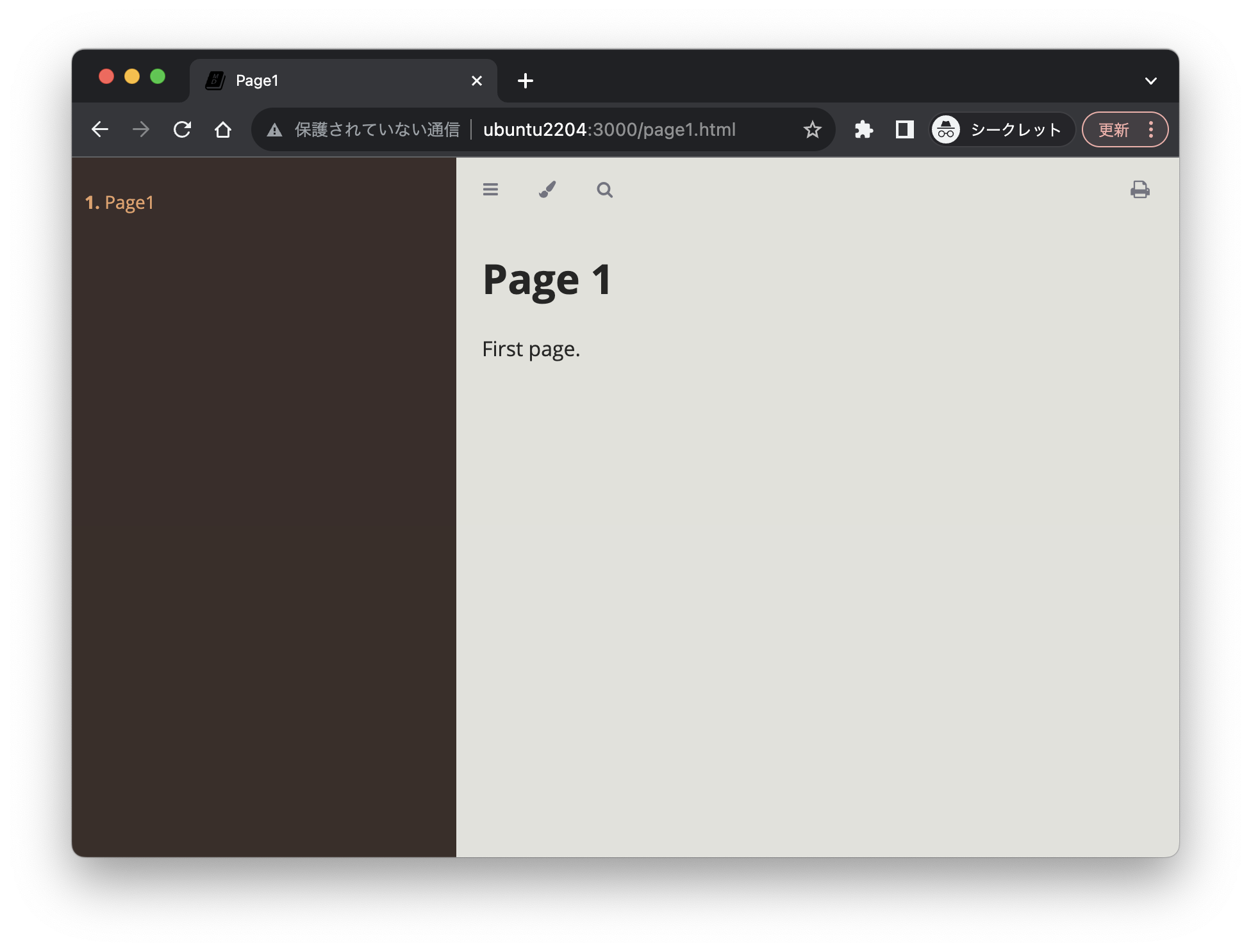
Finally, apply Custom Resource manifest.
kubectl apply -f config/samples/view_v1_markdownview.yaml
kubectl port-forward svc/viewer-markdownview-sample \
  3000:80 --address 0.0.0.0
controller-tools
controller-tools is a collection of auxiliary tools, with controller-gen as an important tool.
It auto-generates manifests from Go code,
automatically generating CRDs when you define Spec and Status as Go structs.
Several markers can be used for auto-generation,
for example, the +kubebuilder:printcolumn marker can modify kubectl output format.
Spec is written by users, Status is written by controllers - you can divide roles.
So, it’s good to make Status a subresource with the +kubebuilder:subresource:status marker.
Subresources apparently have independent API endpoints and can be updated independently.
RBAC and Admission Webhook manifests are also generated with this.
By the way, you can check the list of +kubebuilder markers and their explanations.
./bin/controller-gen crd -w # or -www
./bin/controller-gen webhook -w # or -www
Tools like type-scaffold and helpgen seem to be included, but I didn’t understand them well, so I’ll look into them later.
controller-runtime
Embedding client.Client
MarkdownViewReconciler is the central implementation of the Custom Controller.
MarkdownViewReconciler embeds client.Client,
realizing Reconcile processing while issuing operations like r.Get() and r.Create() for several resources.
Resource Updates
Be careful about resource updates as conflicts can occur.
First, Update() and CreateOrUpdate() are TOCTTOU (Time of check to time of use) operations as resource retrieval and rewriting are not atomic.
Use Patch() as a countermeasure. There seem to be several variations of Patch().
- client.MergeFrom: List updates are equivalent to overwrites
- client.StrategicMergeFrom: List updates become overwrites or additions depending on
patchStrategy - Server-Side Apply: kubernetes v1.14+
Note that since Status is a subresource,
update with client.Status().Update() or client.Status().Patch().
Also, since a resource with the same name might be created between resource retrieval and deletion,
you can safely delete by checking UID and ResourceVersion match with the Preconditions option.
Reconciler
Implement the core Reconcile processing with the Reconciler interface.
The Reconcile() method receives CR Namespace and Name,
and returns whether to Requeue.
For time-consuming processes, design to exit immediately from the Reconcile() method by Requeueing.
Reconcile() must be an idempotent implementation.
Custom Controllers are registered to the Manager described later,
and during registration in NewControllerManagedBy(),
register the CR to Reconcile with For and related resources with Owns.
Set ownerReferences for Owns targets so garbage collection works.
If DeletionTimestamp is non-zero, it means deletion has started, so exit.
Admission Webhook
There are two types:
- MutatingWebhook: Rewrites content just before resource creation/update/deletion.
Defaulterinterface. - ValidatingWebhook: Validates values.
Validatorinterface.
You can confirm validation works when trying to rewrite and apply CR manifests.
kubectl apply -f config/samples/view_v1_markdownview_noimage.yaml
# The MarkdownView "markdownview-sample-noimage" is invalid:
# * spec.replicas: Invalid value: 1000: replicas must be in the
#                  range of 1 to 5.
# * spec.markdowns: Required value: markdowns must have SUMMARY.md.
Envtest
You can test controllers with Envtest.
Run with make test command, can test Custom Controllers and Admission Webhooks.
Internally etcd and kube-apiserver run.
Resource Deletion
Resource deletion is more difficult compared to Create and Update.
For resources in the same Namespace, set up garbage collection with .metadata.ownerReferences
so child resources are deleted when parent resource is deleted.
controllerutil.SetControllerReference()- Or when Server-Side Apply,
WithOwnerReferences(owner)
Use Finalizers for deleting resources in different Namespaces or outside Kubernetes.
- Resources with
.metadata.finalizersspecified have deletionTimestamp added instead of being deleted - Custom Controller deletes related resources and removes
.metadata.finalizersif deletionTimestamp is added - Even if deletion events are missed, Reconcile is called many times
- Use
controllerutil.Contains/Add/RemoveFinalizer()
Manager
Manager is a higher-level concept than Custom Controller, responsible for controller management, leader election, metrics aggregation, and health checks.
When launching multiple Custom Controller Pods for high availability,
you can prevent Reconcile processing conflicts on the same resource.
Just set LeaderElection=true in NewManager() and set LeaderElectionID.
Exactly one is elected as leader from multiple Pods with the same ID.
You can check leader election status from logs as follows:
kubectl -n markdown-view-system logs markdown-view-controller-manager...
# ... leaderelection.go:255] successfully acquired lease ...
When launching goroutines other than Reconcile Loop to execute something, use Runnable.
CR Status is only the current state, but use EventRecorder to keep history of past Status changes.
Record logs with controller.Recorder.Event(), retrieve with kubectl get events.
You can set health check endpoint with HealthProbeBindAddress.
mgr.AddHealthzCheck and mgr.AddReadyzCheck handlers correspond to livenessProbe and readinessProbe.
You can use indexes for resource retrieval with mgr.GetFieldIndexer()
- Indexes can be realized with combinations of multiple arbitrary fields of resources
- Indexes are per GVK (Group Version Kind), so duplication across resources is fine
- Namespace is implicitly? included in indexes, so no need to specify explicitly
- Convenient to match 3rd argument of
IndexField()with field name
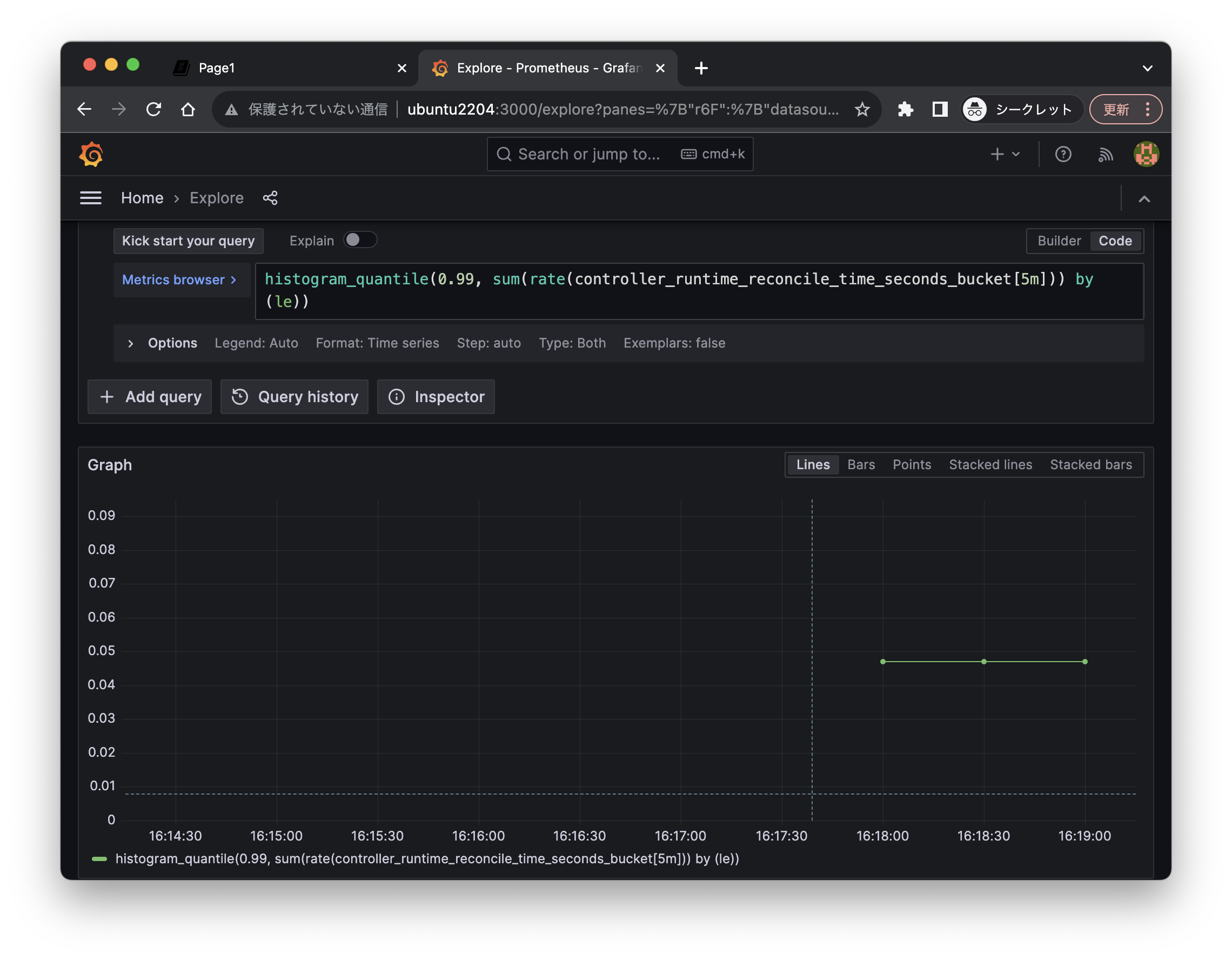
Metrics
By Kubebuilder generated code,
metrics like CPU, Memory, Reconcile time are automatically collected.
Can be set with Manager’s MetricsBindAddress.
- Prometheus-compatible format
- Can add arbitrary metrics with controller-runtime’s
metrics.Registry - Using kube-rbac-proxy allows setting RBAC for metrics endpoint API. It was automatically enabled this time
You can confirm metrics are being collected locally.
kubectl -n markdown-view-system port-forward \
  deploy/markdown-view-controller-manager 8080:8080 --address 0.0.0.0

curl -s localhost:8080/metrics | grep ^markdown
# markdownview_available{name="markdownview-sample",namespace="default"} 0
# markdownview_healthy{name="markdownview-sample",namespace="default"} 1
# markdownview_notready{name="markdownview-sample",namespace="default"} 0
Of course, you can send metrics to Prometheus and read from Grafana.
helm repo add prometheus-community \
  https://prometheus-community.github.io/helm-charts
helm repo update
kubectl create ns prometheus
helm install prometheus prometheus-community/kube-prometheus-stack \
  --namespace=prometheus \
  --set prometheus.prometheusSpec.serviceMonitorSelectorNilUsesHelmValues=false
kubectl apply -f ./config/rbac/prometheus_role_binding.yaml

# Forward port for Grafana Web UI
kubectl -n markdown-view-system port-forward \
  deploy/markdown-view-controller-manager \
  8080:8080 --address 0.0.0.0